제품을 고르고Choose a product
타일·위생기·샤워 파티션을 선택합니다.Select tiles, fixtures, and shower partitions.
실시간 3D 스튜디오 수원
Real-time 3D studio Suwon, South Korea
START WITH THE SCENE
영상으로 설명할지, 직접 고르게 할지, 현장에서 체험하게 할지. 쓰일 상황에 따라 만드는 방식도 달라집니다.A film, a choice, or an experience on site. Where and how the work will be used shapes how it is made.
형태와 소재, 움직임을 읽을 수 있는 영상과 스틸. DAS 좌석과 Casa Roma 작업에서 확인해 보세요.Film and stills that show form, material, and movement. Explore the DAS seating and Casa Roma projects.
타일과 위생기를 바꾸며 조합을 확인하는 가상 욕실. 제품 선택이 공간의 변화로 이어집니다.A virtual bathroom for exploring tiles and fixtures. Each product choice changes the room.
여러 디스플레이와 제스처 입력을 연결한 스마트홈. 보는 사람의 행동이 콘텐츠의 일부가 됩니다.A smart home connecting multiple displays and gesture input. The visitor’s actions become part of the content.
웹툰 배경을 구성하는 전용 에디터부터 UMG 편집 플러그인까지, 실제 작업 화면을 살펴보세요.From a dedicated webtoon background editor to UMG plugins: see the actual production interfaces.
영상Video
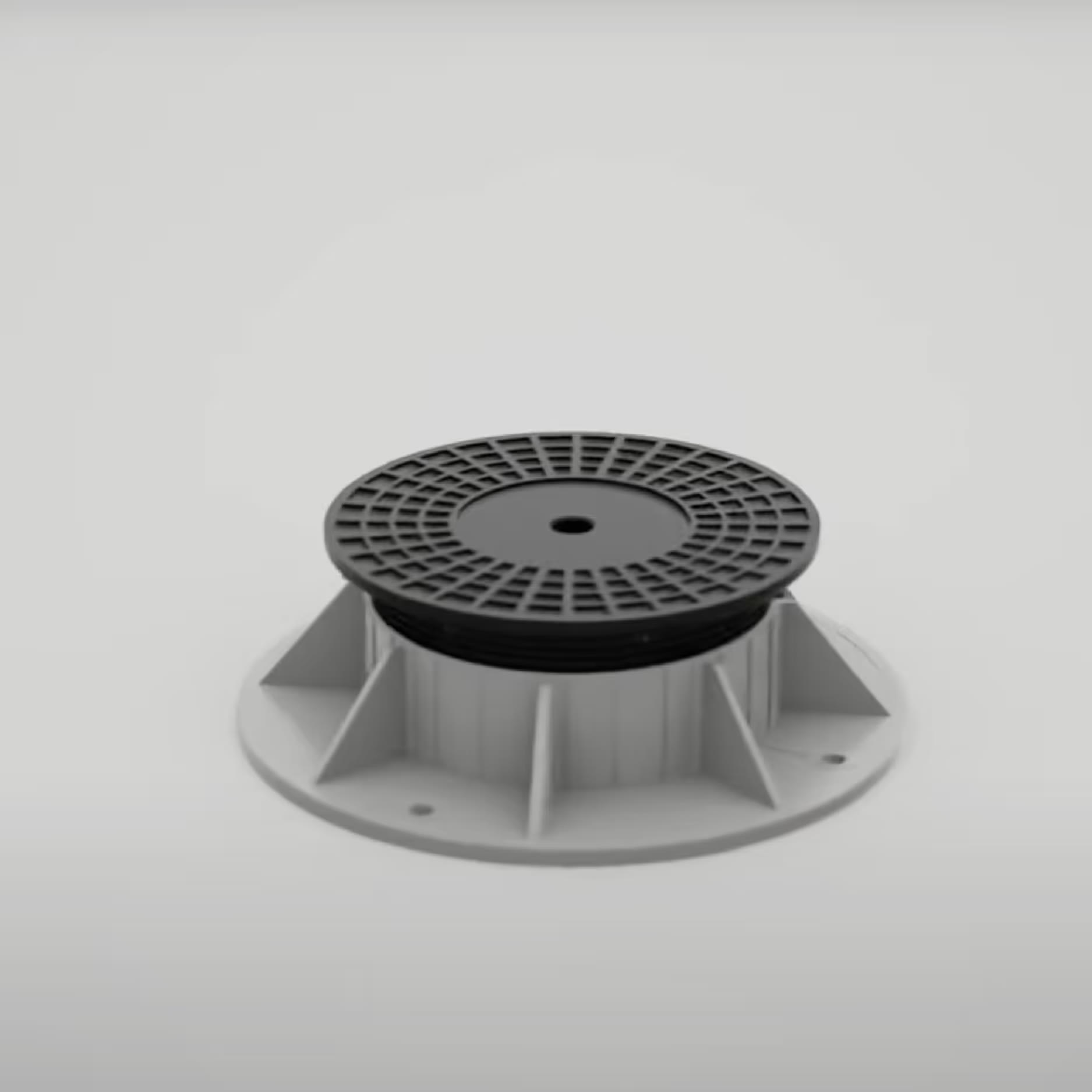
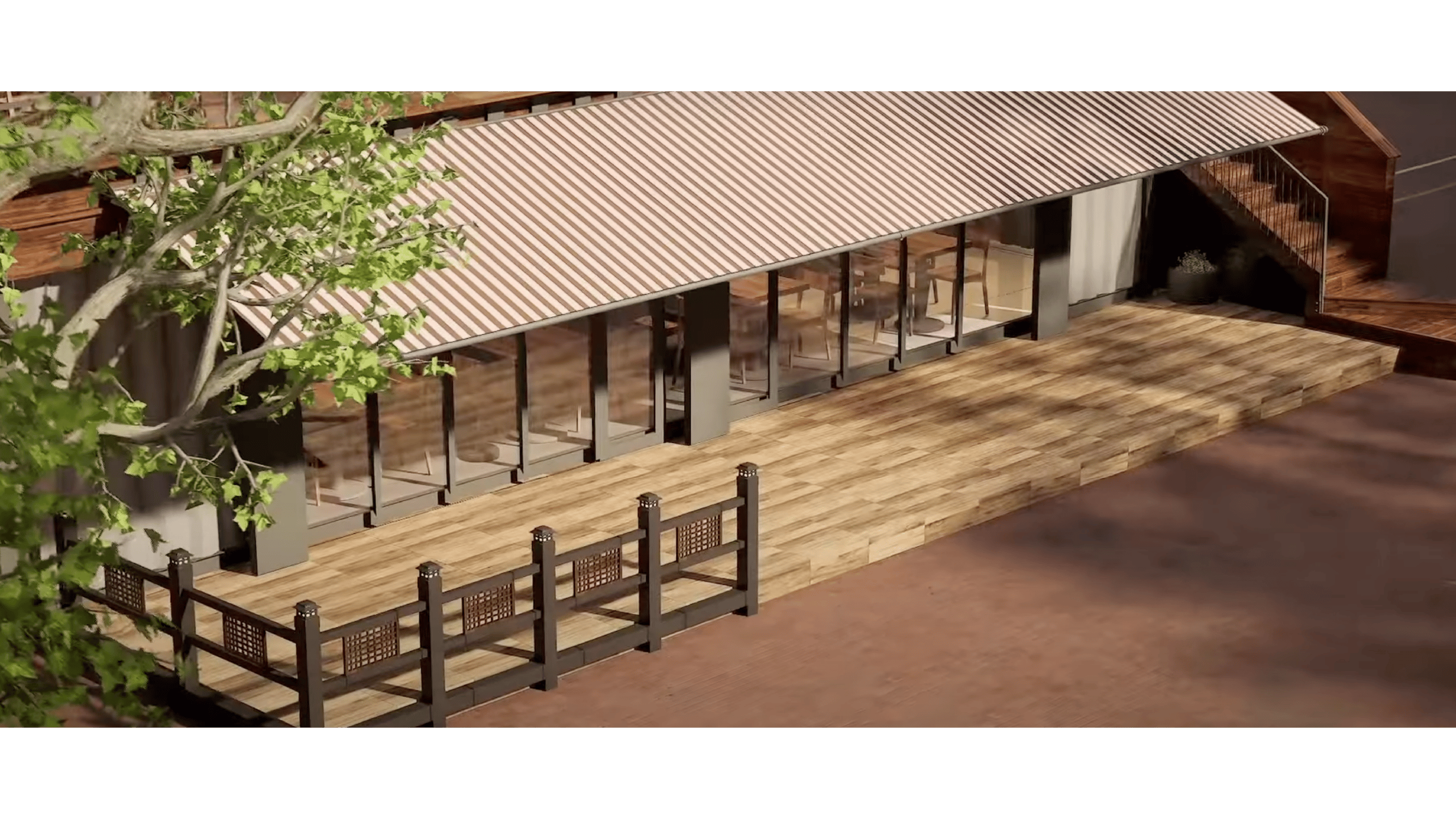
카페 테라스의 타일 아래에는 어떤 구조가 있을까요. 페데스탈 위로 타일이 놓이는 순서를 3D 애니메이션에 담았습니다.What sits beneath a tiled café terrace? A 3D animation shows the pedestal structure and how the tiles are laid.
컨피규레이터Configurator
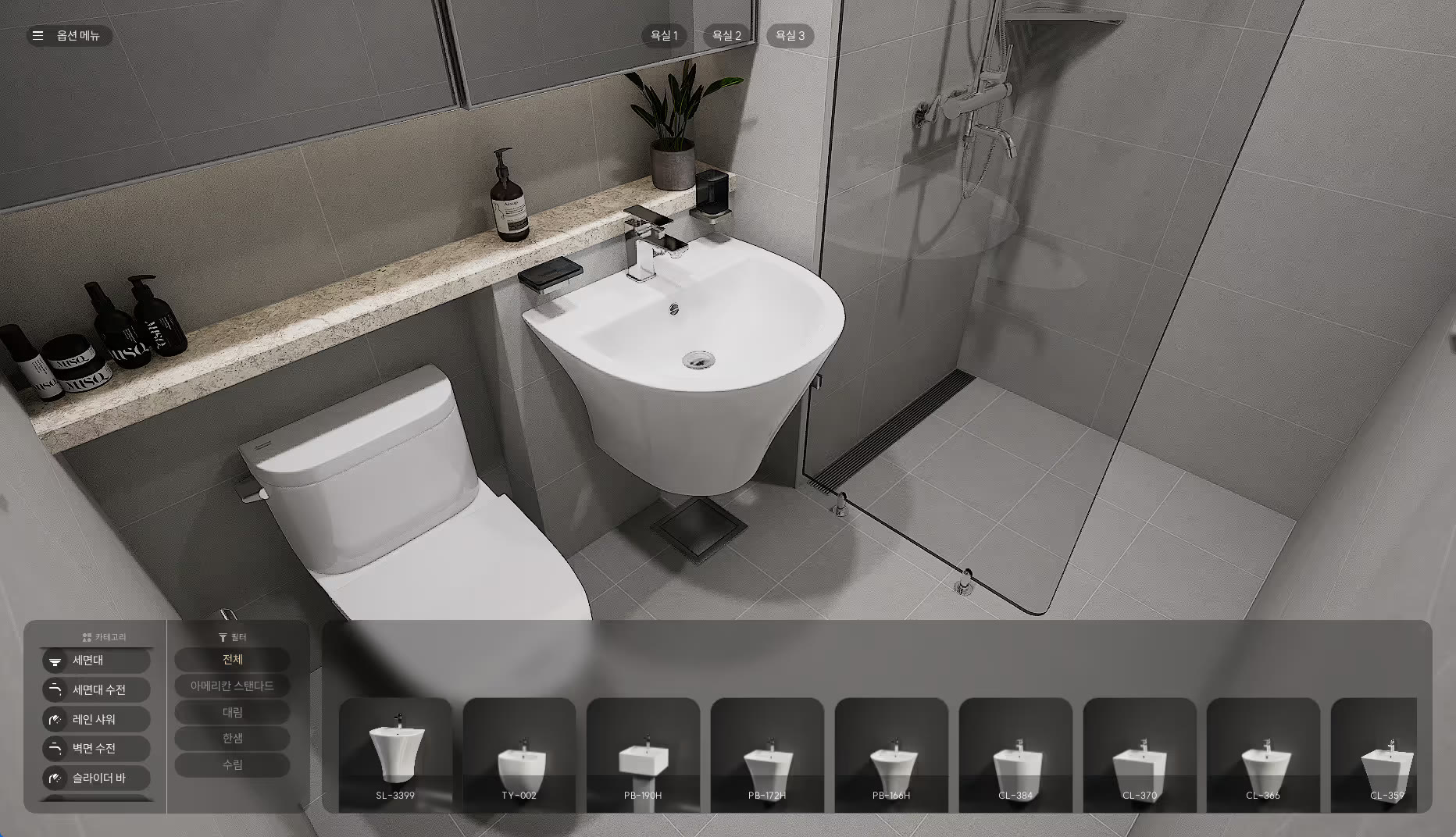
타일과 세면대, 샤워 파티션을 바꿔가며 조합을 확인합니다. 쇼룸에 다 놓을 수 없는 선택지를 하나의 가상 욕실에 담았습니다.Explore combinations of tiles, basins, and shower partitions. One virtual bathroom holds choices a showroom cannot display all at once.
에디터Editor
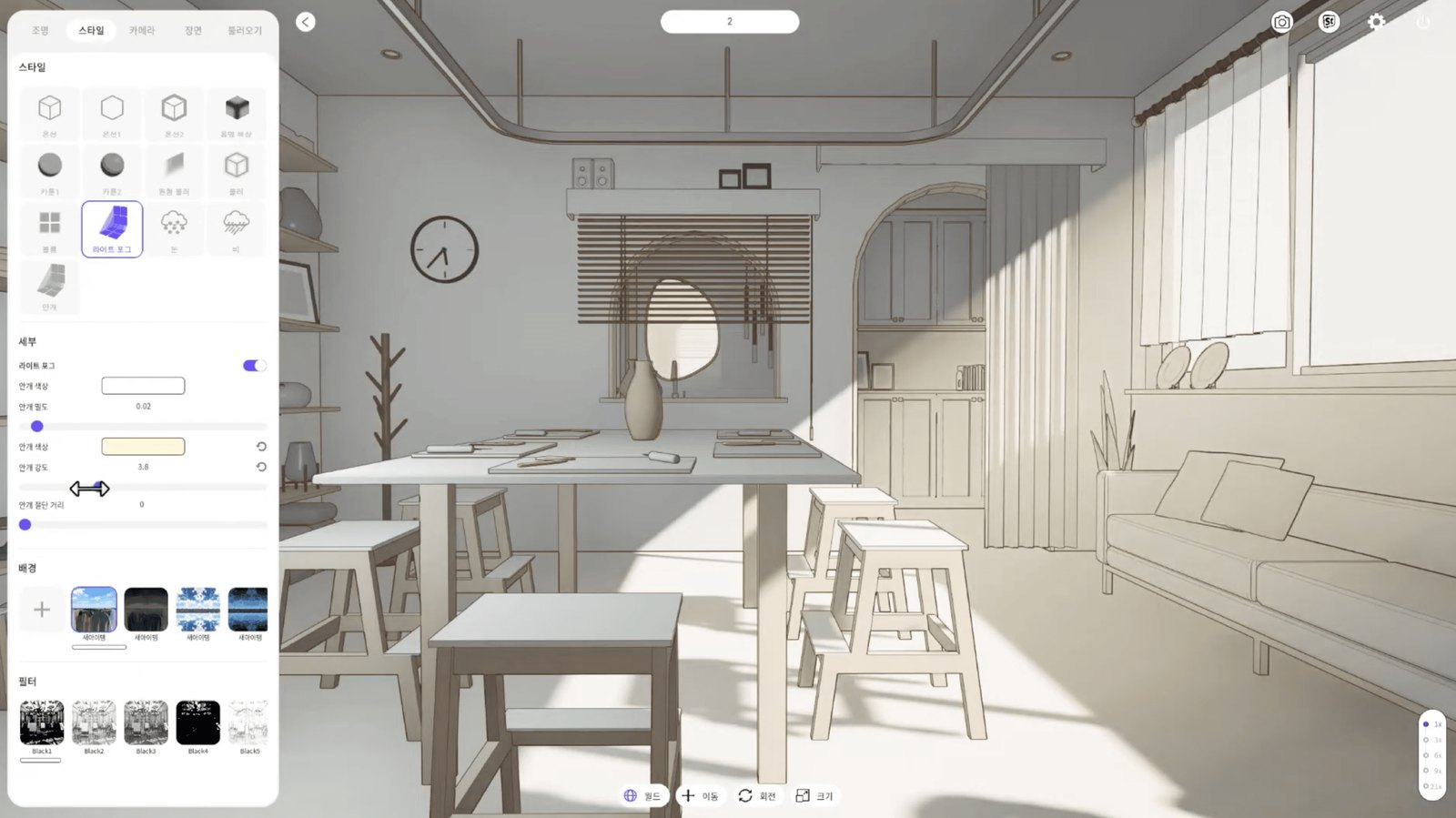
배경을 놓고 조명과 카메라를 조절합니다. 웹툰 작가의 장면 구성을 위해 제작한 언리얼 기반 3D 소프트웨어입니다.Place scenery, then adjust lighting and cameras. An Unreal-based 3D tool built for webtoon artists composing a scene.
전시 콘텐츠Exhibition
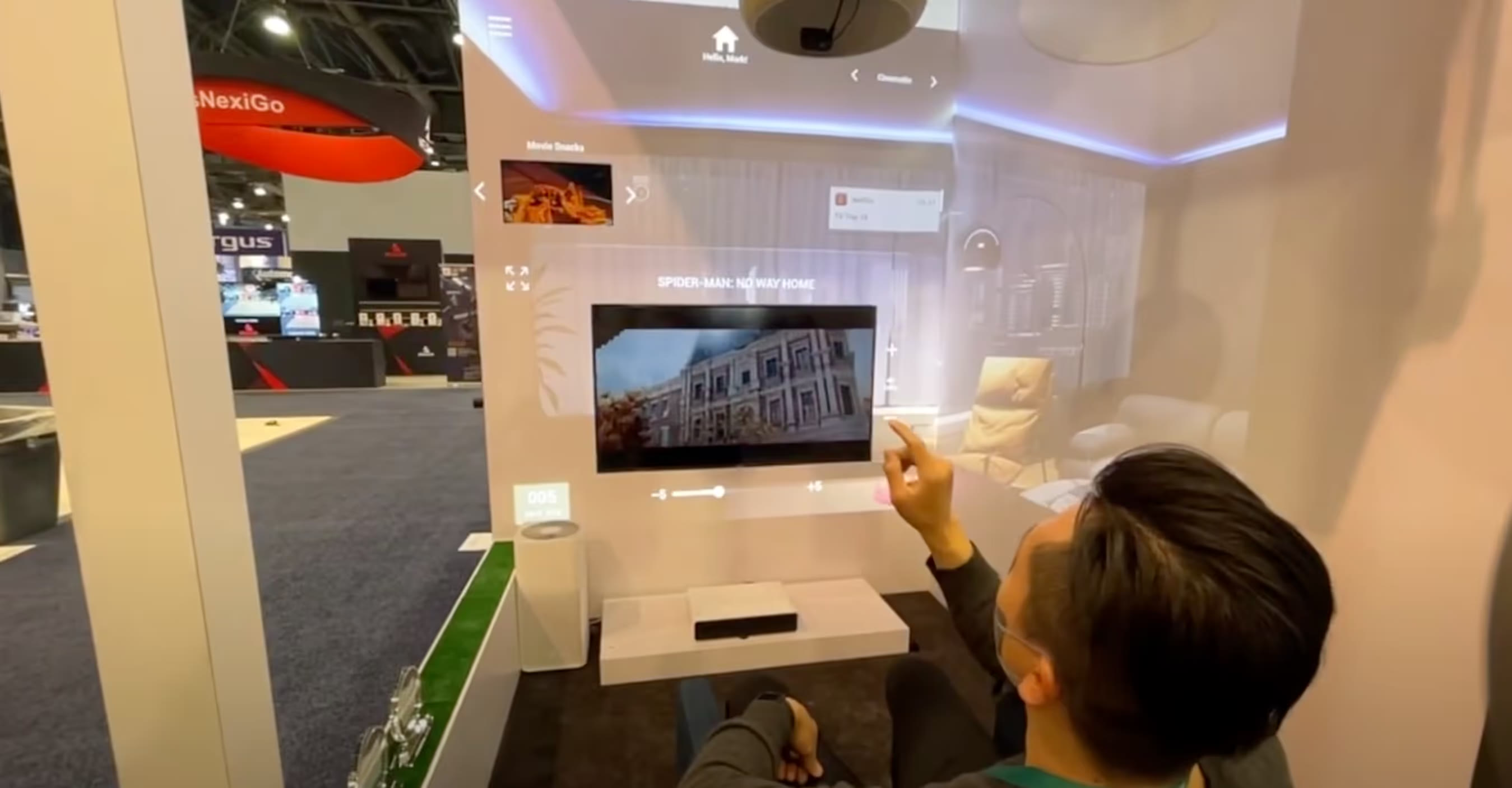
조명과 커튼, 가전이 손짓에 반응합니다. 여섯 디스플레이를 하나의 가상 스마트홈으로 연결한 VTouch 체험 콘텐츠입니다.Lights, curtains, and appliances respond to gestures. Six displays form a single virtual smart home for the VTouch demonstration.
2021년 · 어니스티와일드 설립 이전 협업2021 · collaboration before Honesty Wild was founded
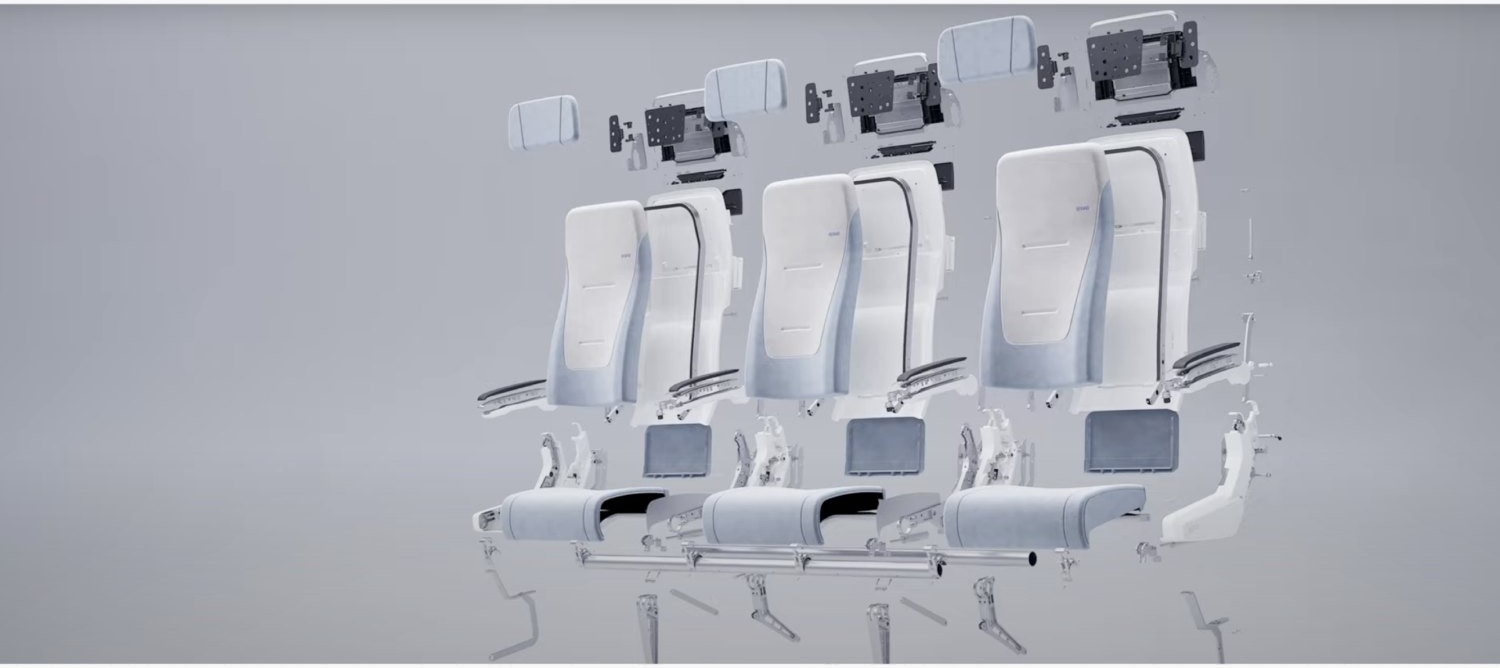
제품 영상Product film
팔걸이의 형태와 좌석이 젖혀지는 움직임, 직물의 질감. DAS 항공기 좌석의 차이를 조명과 카메라로 보여줍니다.Armrest shape, reclining movement, and fabric texture. Lighting and camera work show the details of the DAS aircraft seat.
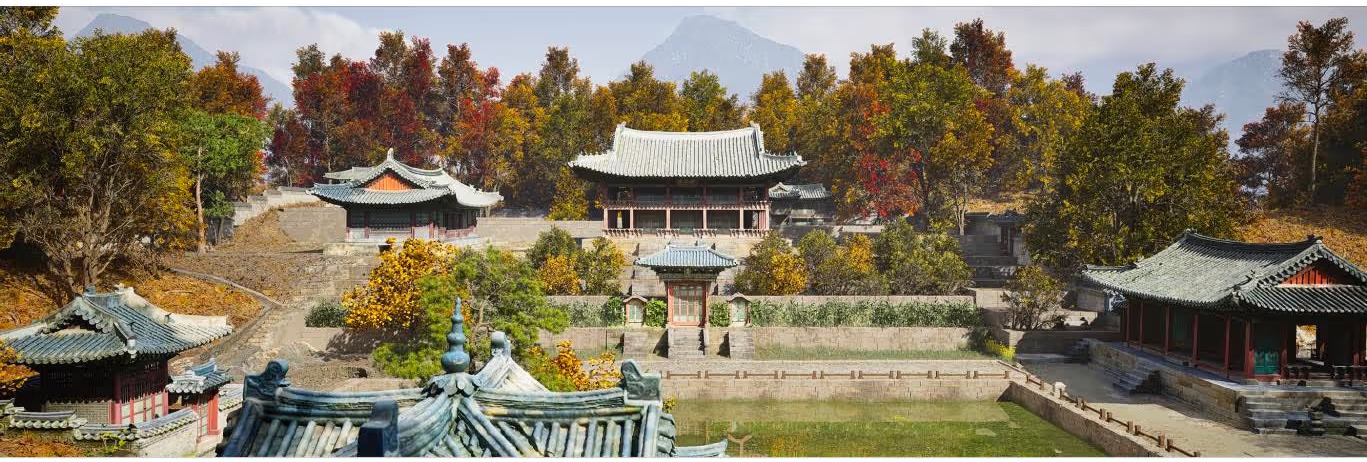
공간 복원 · 시네마틱Spatial reconstruction
부용지와 주합루의 비례, 나무 사이로 드는 빛. 사료와 사진, 3D 스캔을 바탕으로 창덕궁 후원을 복원했습니다.Buyongji Pond, the proportions of Juhamnu, and light through the trees. A reconstruction based on historical records, photographs, and 3D scans.
01 / PRODUCT EXPERIENCE
쇼룸에 모든 제품 조합을 전시할 수는 없습니다. 고객이 타일 하나를 바꾼 뒤의 공간을 상상에만 의존하지 않고 확인할 수 있어야 했습니다.A showroom cannot display every product combination. Customers needed to see how a change of tile would affect the room rather than rely on imagination.
타일·위생기·샤워 파티션을 고르면 언리얼 실시간 조명과 고해상도 텍스처가 선택을 공간에 반영합니다. 제조사별 제품 데이터베이스를 연결해 매장이 취급하는 브랜드와 제품군을 구성할 수 있도록 했습니다.Selecting tiles, fixtures, or shower partitions updates the room with Unreal real-time lighting and high-resolution textures. A manufacturer-specific product database lets stores configure the brands and ranges they carry.
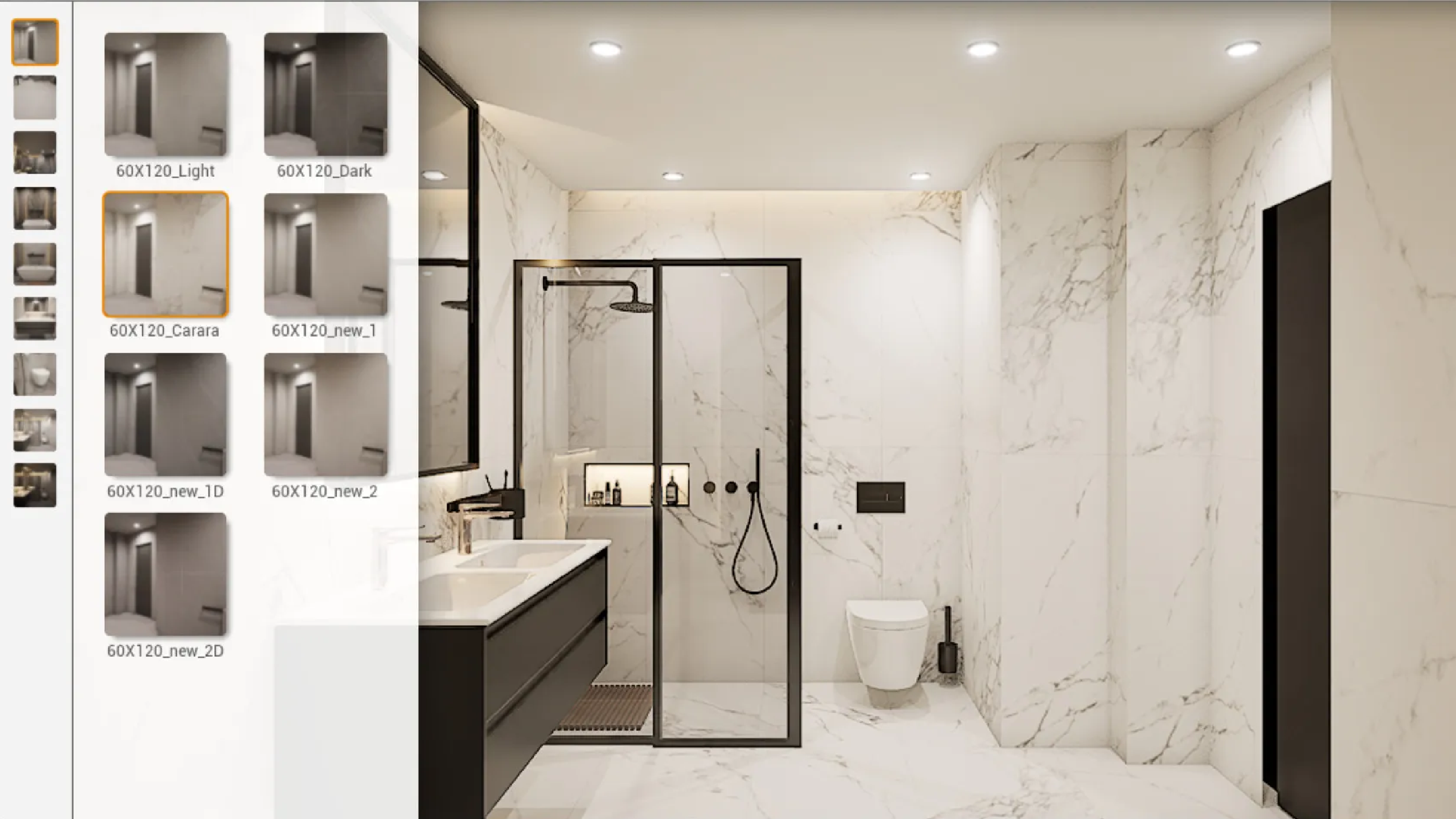
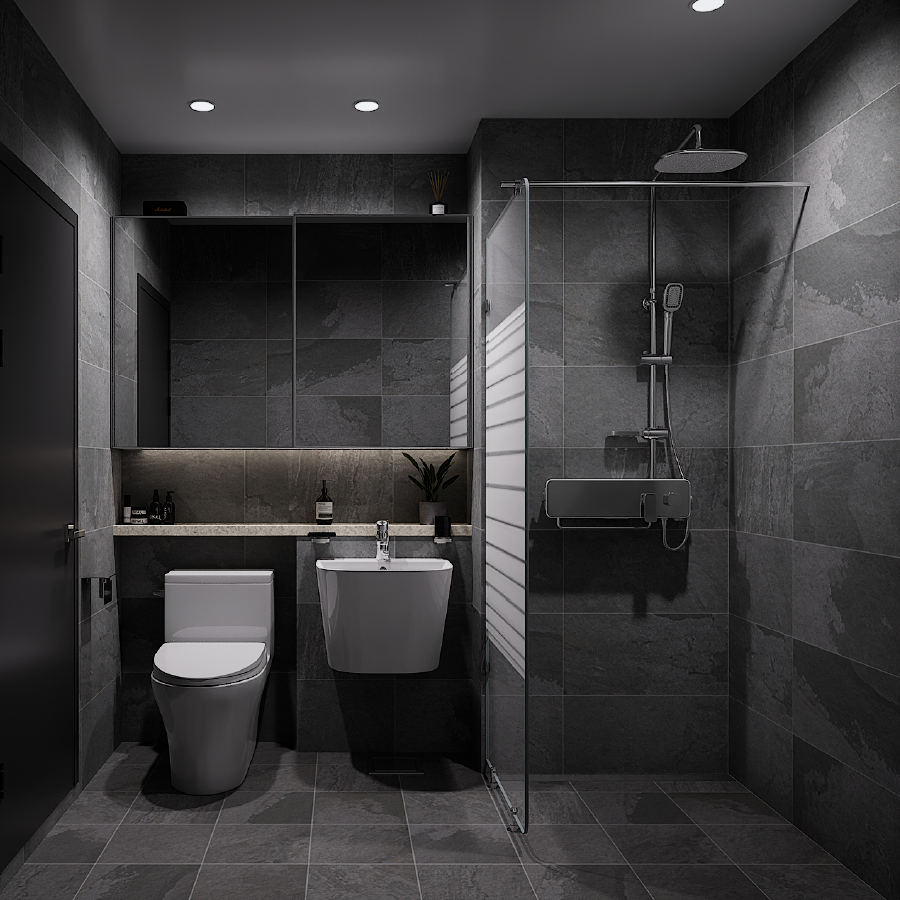
실제 프로젝트를 이미지로 소개합니다.Images from the actual project.
타일·위생기·샤워 파티션을 선택합니다.Select tiles, fixtures, and shower partitions.
소재와 조명 안에서 바뀐 조합을 봅니다.See the combination with its materials and lighting.
제조사별 데이터베이스로 취급 제품을 연결합니다.Manufacturer-specific data connects the products a store carries.
02 / EXPLAIN THROUGH MOTION
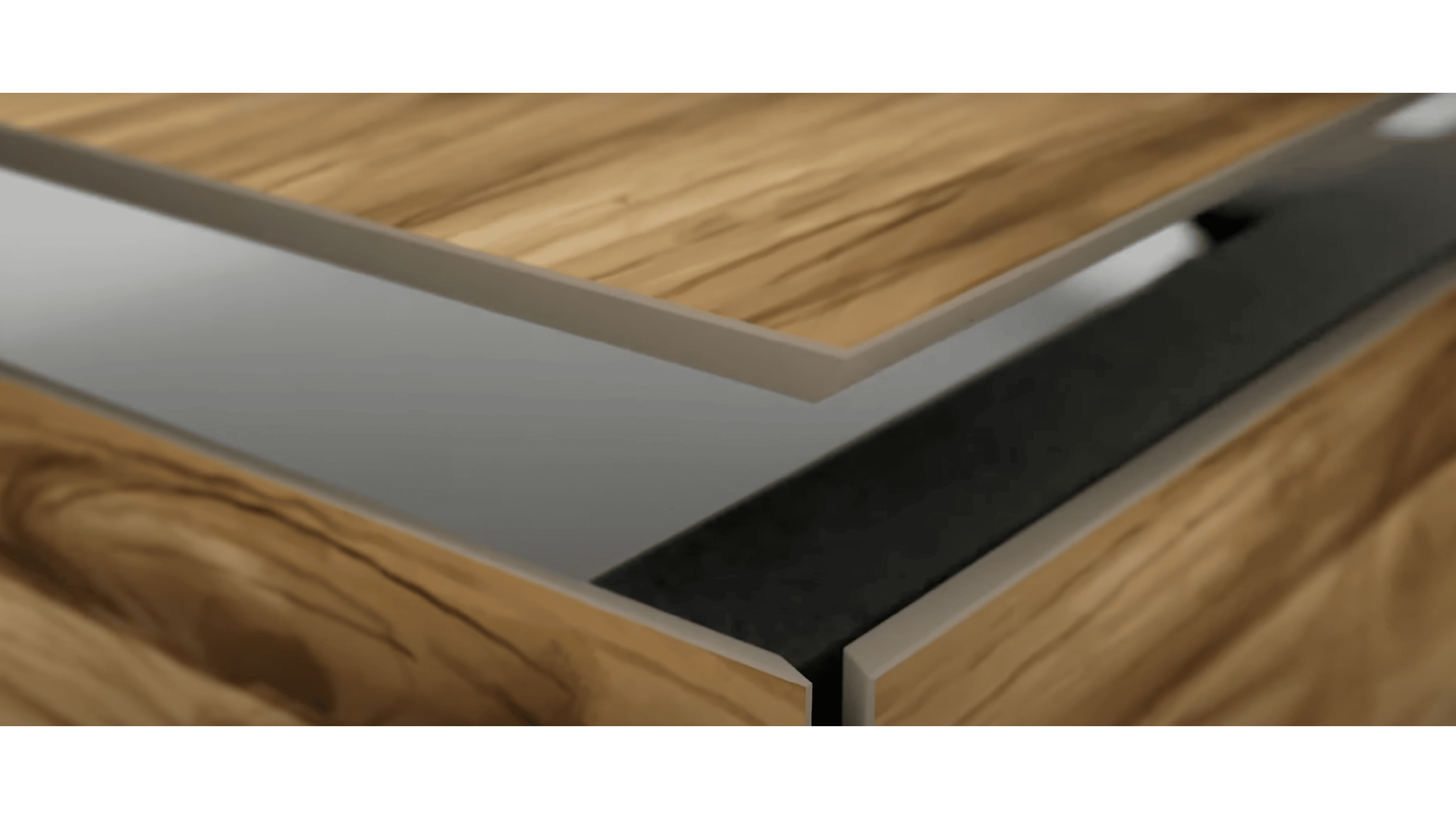
페데스탈 타일은 설치 순서를 도면과 말로 설명하기 까다로운 공법입니다. Casa Roma는 자사 타일이 카페 테라스에 깔리는 과정을 영상으로 보여주고자 했습니다.Pedestal tile installation is difficult to explain through drawings and words alone. Casa Roma wanted a film showing its tiles being laid on a café terrace.
언리얼 엔진 5의 Motion Design으로 설치 흐름의 타이밍을 잡았습니다. 타일 아래의 구조와 쌓이는 순서를 보여준 뒤, 완성된 테라스로 이어집니다.Unreal Engine 5 Motion Design sets the timing of the installation. The film shows the structure below the tiles and the assembly sequence, then the finished terrace.
Casa Roma 시공 영상 보기View the Casa Roma film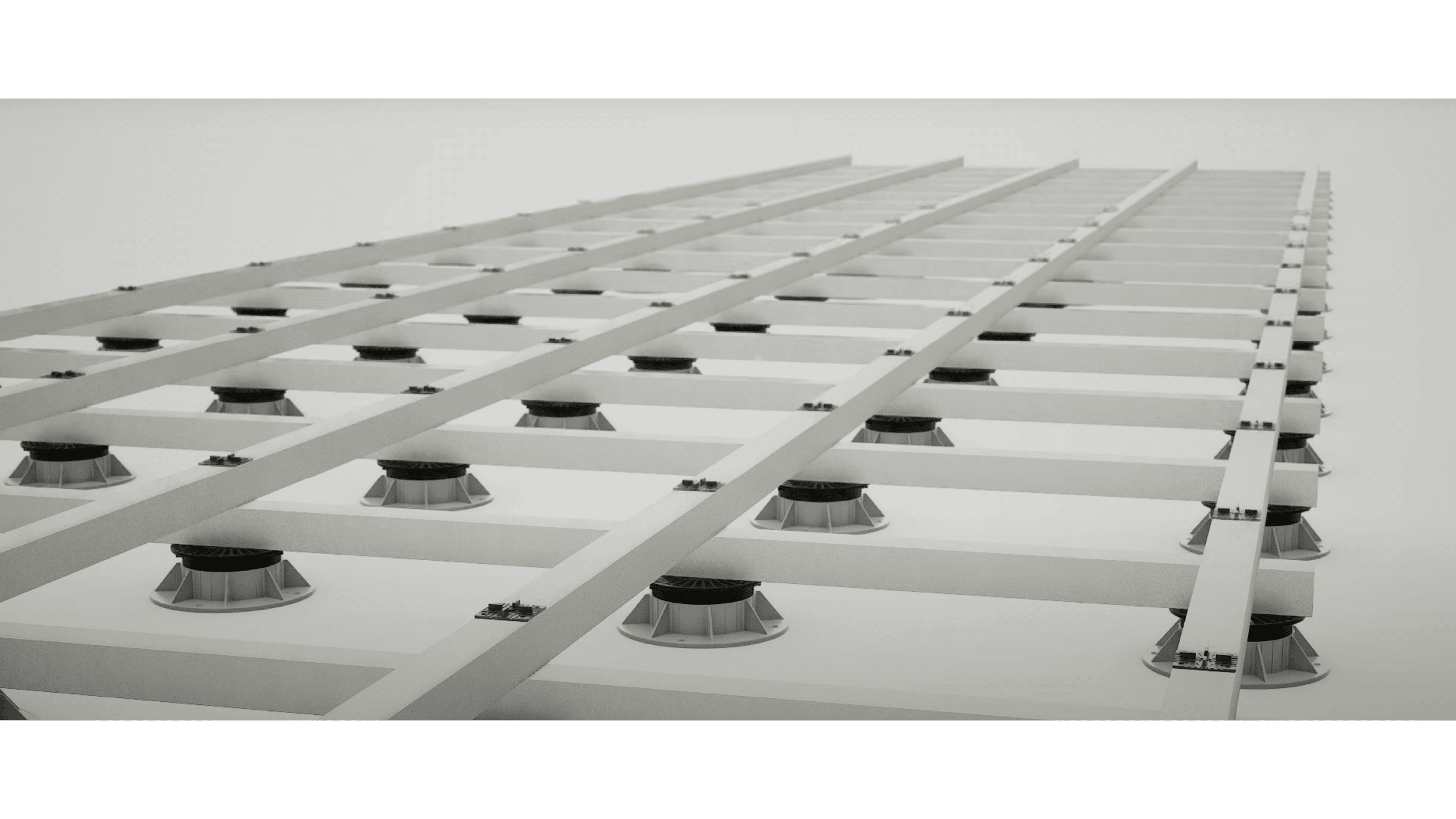
03 / LIGHT, MATERIAL, SPACE
제품의 작은 움직임과 공간에 머무는 빛. 무엇을 느끼고 읽어야 하는지에 따라 카메라와 소재를 다르게 다룹니다.The movement of a product. Light across a space. Camera and material choices follow what a scene needs to communicate.
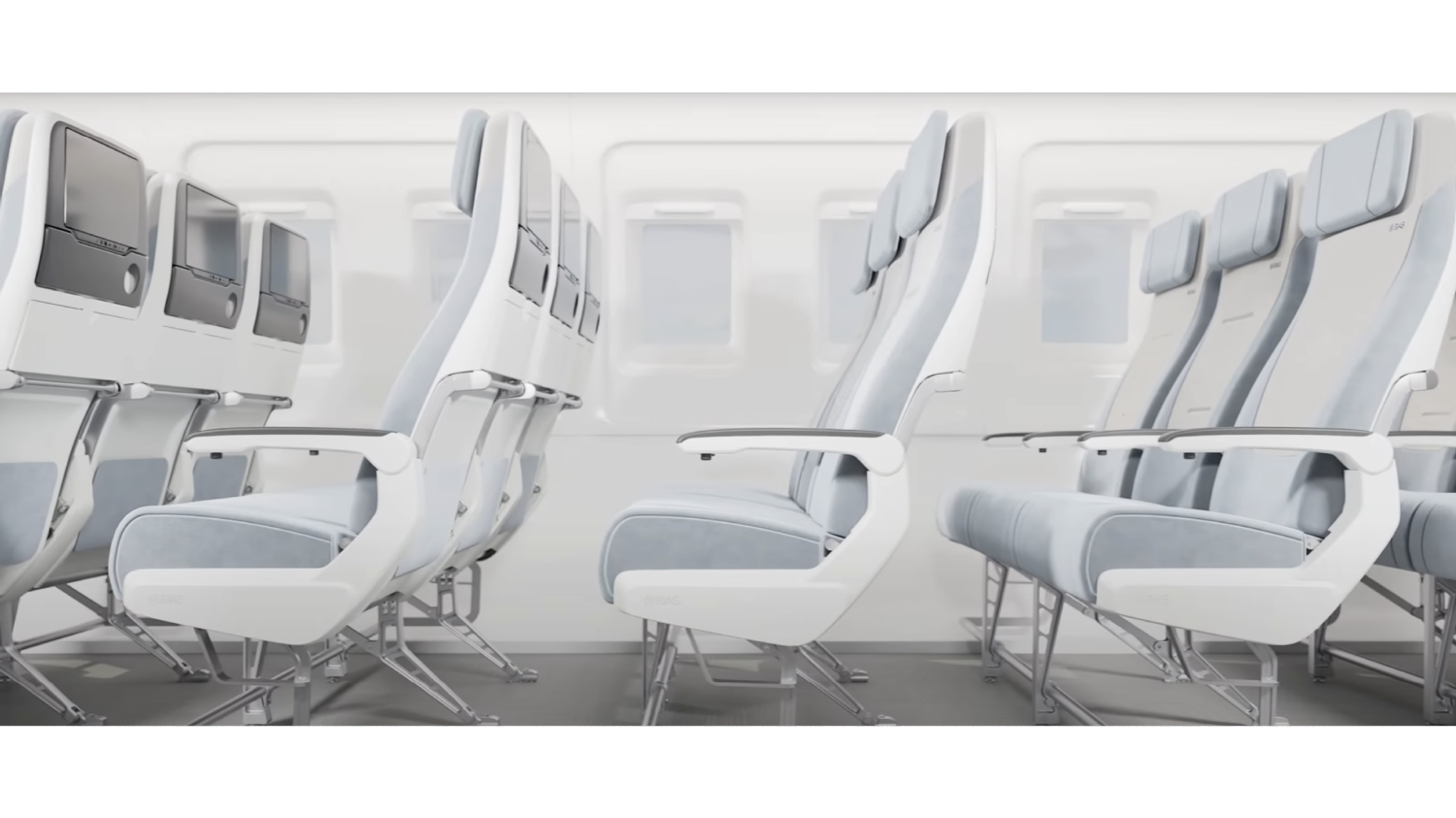
팔걸이의 형태와 좌석이 젖혀지는 움직임, 직물의 질감. DAS 항공기 좌석의 차이를 조명과 카메라로 보여줍니다.Armrest shape, reclining movement, and fabric texture. Lighting and camera work show the details of the DAS aircraft seat.
Path Tracing으로 빛과 부드러운 그림자, 반사를 구현했습니다. Movie Render Queue로 안티앨리어싱·모션 블러·심도를 조정하고, 직물의 질감을 별도로 다듬었습니다.Path Tracing handles light, soft shadows, and reflections. Movie Render Queue controls anti-aliasing, motion blur, and depth of field; the fabric texture was refined separately.
작업 자세히 보기View the project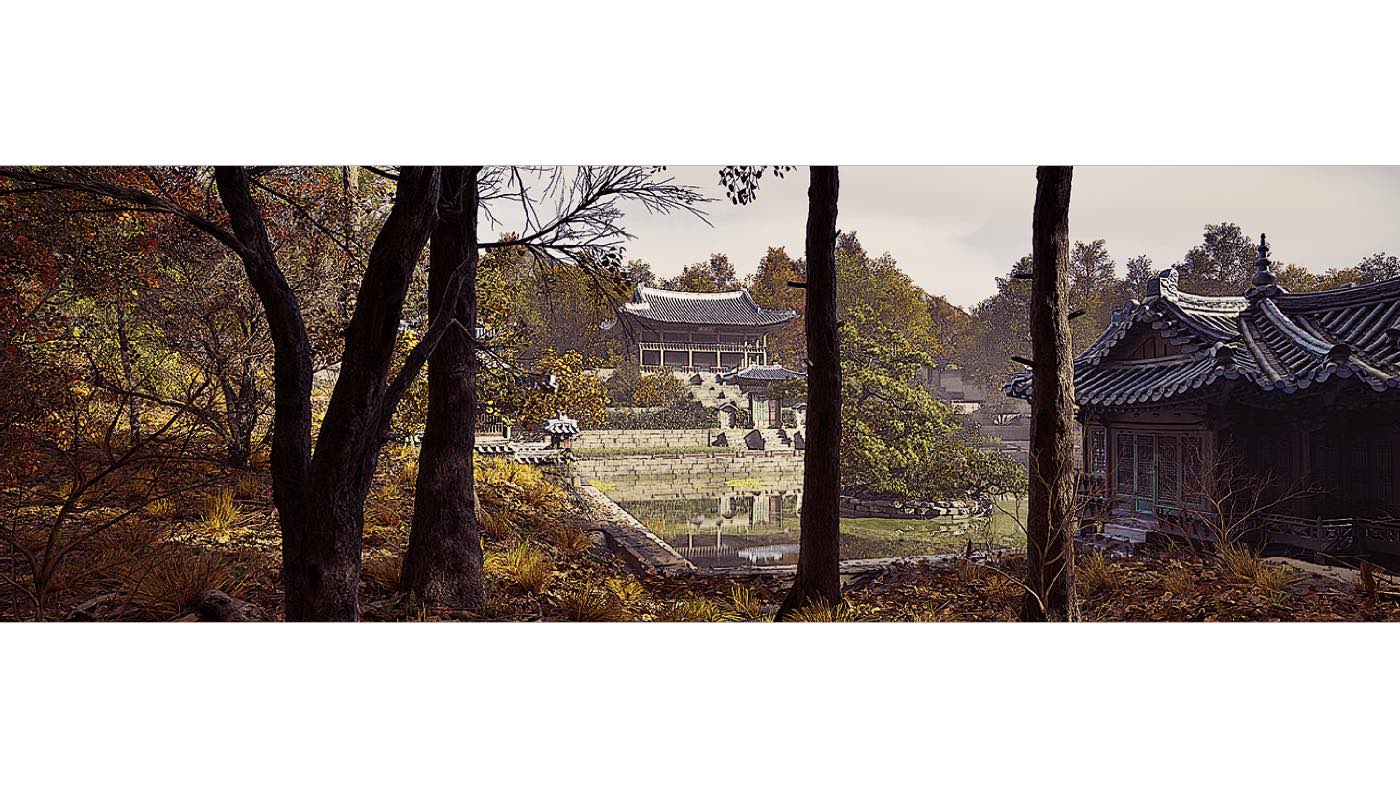
부용지와 주합루의 비례, 나무 사이로 드는 빛. 사료와 사진, 3D 스캔을 바탕으로 창덕궁 후원을 복원했습니다.Buyongji Pond, the proportions of Juhamnu, and light through the trees. A reconstruction based on historical records, photographs, and 3D scans.
사료와 사진으로 건축의 형태와 분위기를 확인하고, 주요 전각은 3D 스캔을 바탕으로 제작했습니다. Quixel Megascans로 식생과 지면을 구성하고 Nanite와 Lumen을 활용했습니다.Historical records and photographs informed the architecture and atmosphere. Primary buildings were made from 3D scans, with Quixel Megascans for planting and ground, using Nanite and Lumen.
작업 자세히 보기View the project04 / SPATIAL INTERACTION
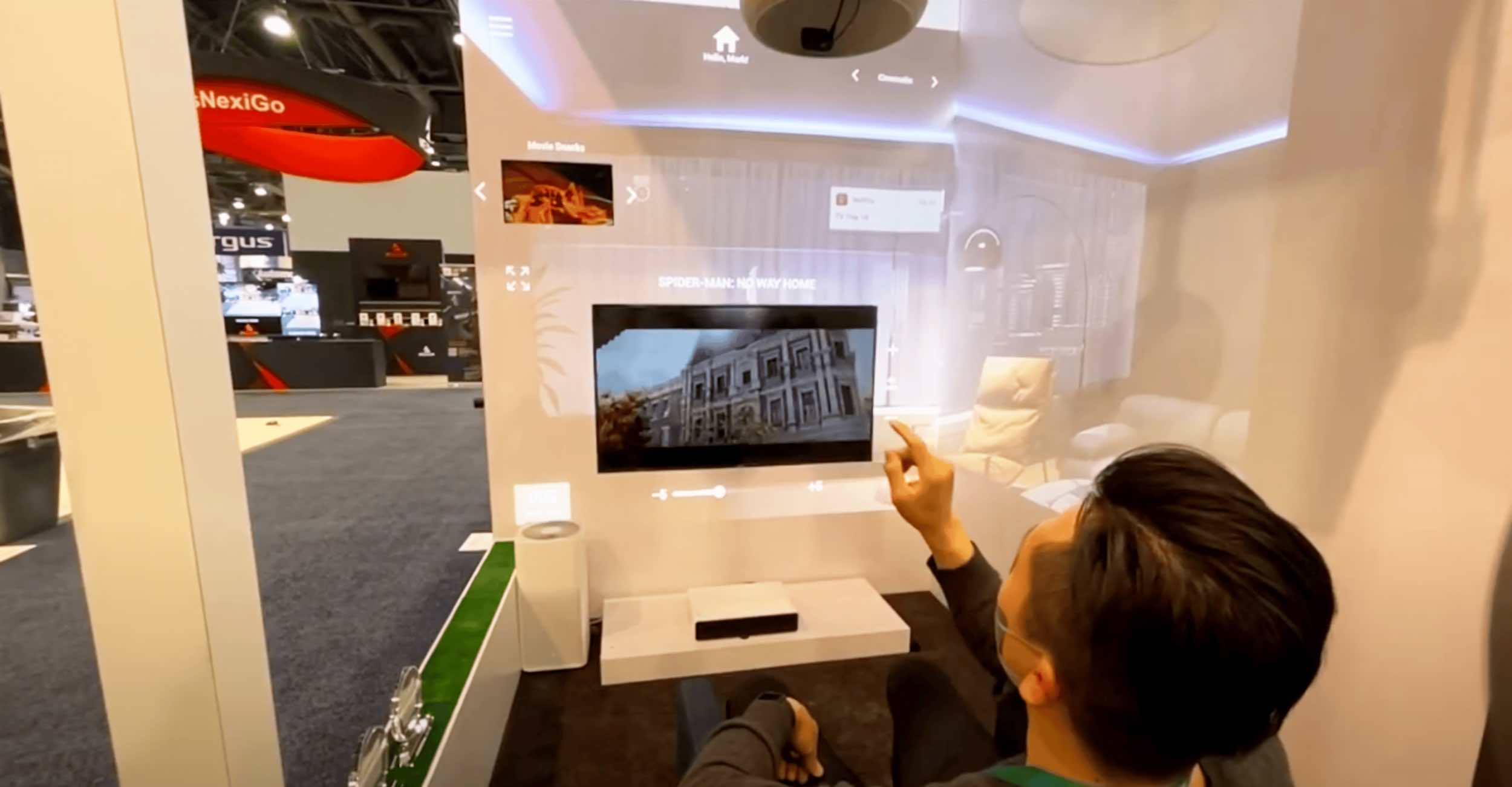
조명과 커튼, 가전이 손짓에 반응합니다. 여섯 디스플레이를 하나의 가상 스마트홈으로 연결한 VTouch 체험 콘텐츠입니다.Lights, curtains, and appliances respond to gestures. Six displays form a single virtual smart home for the VTouch demonstration.
언리얼 nDisplay로 여섯 디스플레이를 하나의 공간처럼 동기화했습니다. 조명·커튼·가전·영상 재생·공기청정기·음식 주문을 방 안의 손동작으로 조작하도록 구성했습니다.Unreal nDisplay synchronizes six displays into one space. Gestures in the room control lights, curtains, appliances, video, an air purifier, and food ordering.
2021년 · 어니스티와일드 설립 이전 협업2021 · collaboration before Honesty Wild was founded
VTouch 프로젝트 보기Explore the VTouch project05 / PRODUCTION SOFTWARE
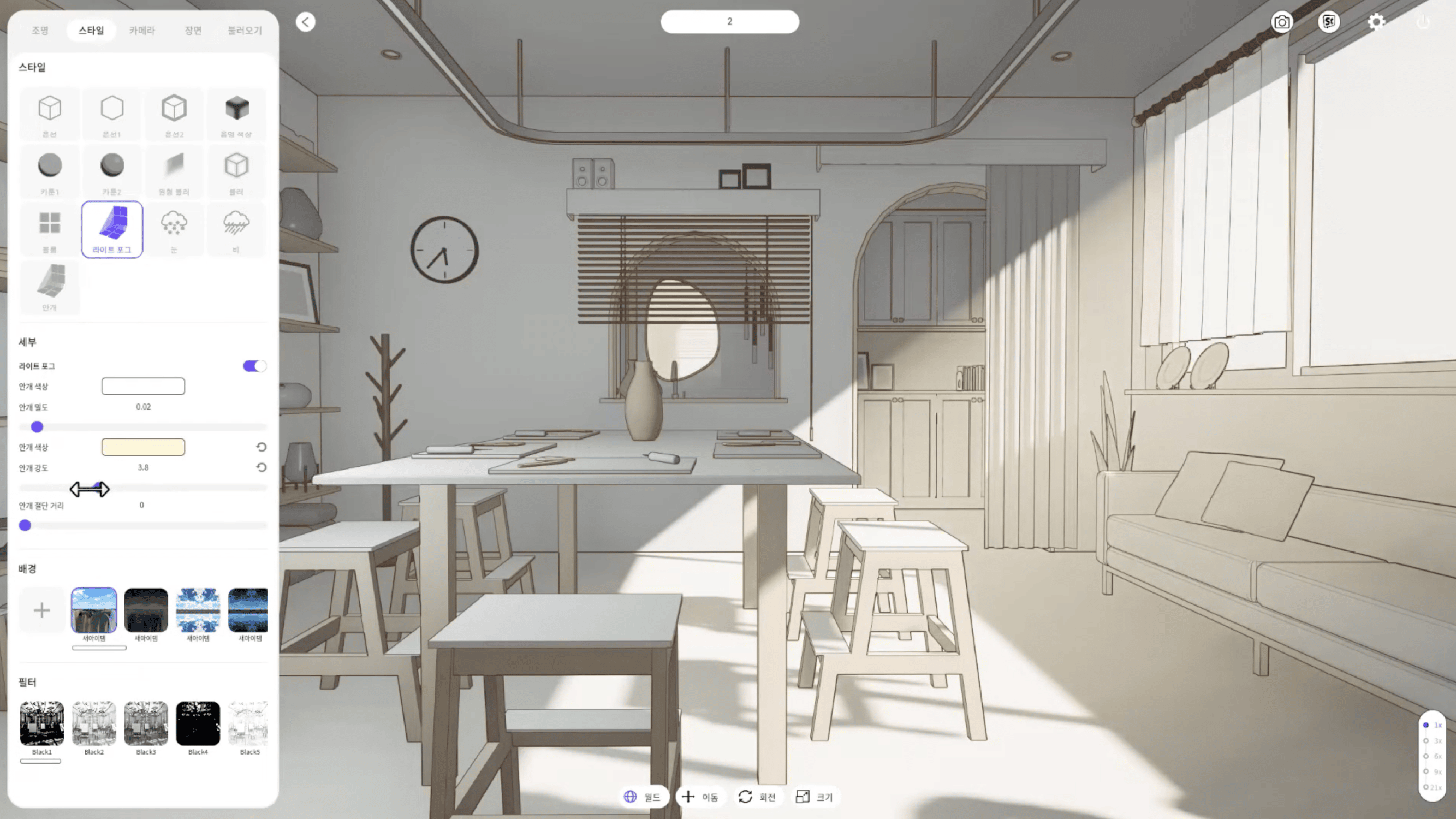
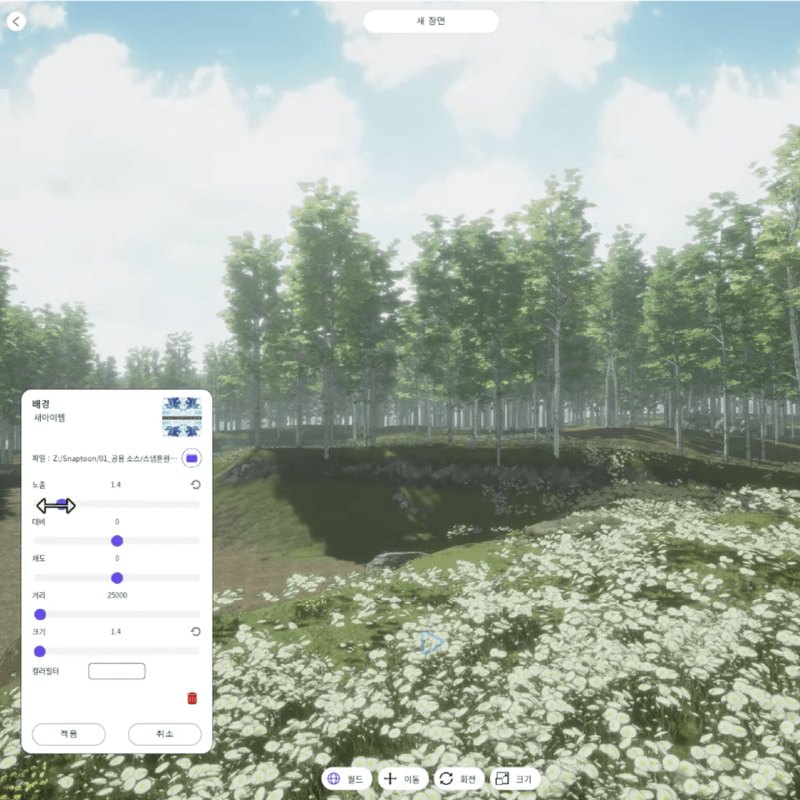
무거운 3D 툴을 새로 배우는 부담을 줄이고, 웹툰 작가가 배경과 분위기를 직접 구성할 수 있는 전용 작업 환경이 필요했습니다.The project needed a dedicated workspace where webtoon artists could arrange scenery and atmosphere without first learning a heavy 3D tool.
배경을 놓고 조명과 카메라를 조절합니다. 웹툰 작가의 장면 구성을 위해 제작한 언리얼 기반 3D 소프트웨어입니다.Place scenery, then adjust lighting and cameras. An Unreal-based 3D tool built for webtoon artists composing a scene.
Casa Roma Tiles · 2024
빛과 소재의 질감, 제품의 동작, 시공의 순서를 영상과 스틸로 담습니다.
Casa Roma Tiles · 2024
Film and stills showing light, texture, product movement, and installation sequences.
욕실 컨피규레이터 · 2024
제품을 고르고, 조합을 바꾸고, 제스처로 공간을 조작하는 경험을 만듭니다.
Bathroom Configurator · 2024
Choose products, change combinations, and control a space with a gesture.
Snaptoon · 2023
웹툰 배경 에디터와 UMG 플러그인처럼, 실제 작업 흐름에 맞는 인터페이스와 기능을 구현합니다.
Snaptoon · 2023
Interfaces and features shaped around the work, from webtoon scenery editors to UMG plugins.
컨설팅·기획 — 언리얼을 몰라도 시작할 수 있습니다. Consulting / scoping — you don’t need Unreal literacy to start.
FROM BRIEF TO DELIVERY
처음부터 완성된 기획서가 있을 필요는 없습니다. 목적부터 제작·전달까지, 논의할 항목을 하나씩 정리합니다.You do not need a finished production brief. Work through the questions from purpose to production and delivery.
누가, 어디서, 무엇을 보거나 조작하나요. 결과물을 쓸 환경과 전달할 내용을 먼저 정리합니다.Who will see or use it, where, and for what? Start with the environment and what the work should communicate.
사용 환경 · 전달 내용 · 참고 자료Context · message · references
이미지의 분위기와 설명할 순서, 사용자가 할 행동을 구체화합니다. 영상인지 실시간 화면인지도 이 단계의 질문입니다.Define the visual direction, the order of explanation, and what the user can do. Decide whether film or a real-time interface fits.
비주얼 방향 · 장면 구성 · 조작 흐름Visual direction · scenes · interaction flow
소재·조명·카메라를 다듬고, 필요한 선택과 반응을 연결합니다. 구현한 장면과 동작을 보며 조정할 항목을 확인합니다.Refine materials, lighting, and cameras; connect choices to responses. Review the scenes and interactions to see what needs adjustment.
3D 제작 · 인터페이스 · 기능 검토3D production · interface · function review
영상의 해상도와 형식, 실행할 기기, 설치 환경처럼 결과물을 사용할 조건을 확인합니다. 전달 범위도 함께 정리합니다.Confirm the conditions of use: video format and resolution, target devices, and installation setting. Agree on what will be handed over.
출력 형식 · 실행 환경 · 전달 범위Output format · runtime · handover scope
BUILT FOR THE EDITOR
Epic Fab에 공개한 언리얼 에디터 플러그인 4종입니다. 텍스트 수정부터 목록 정렬까지, 실제 편집 화면에서 쓰이는 기능을 다룹니다.Four Unreal editor plugins published on Epic Fab, covering text editing, key selection, and list ordering in the workspace.
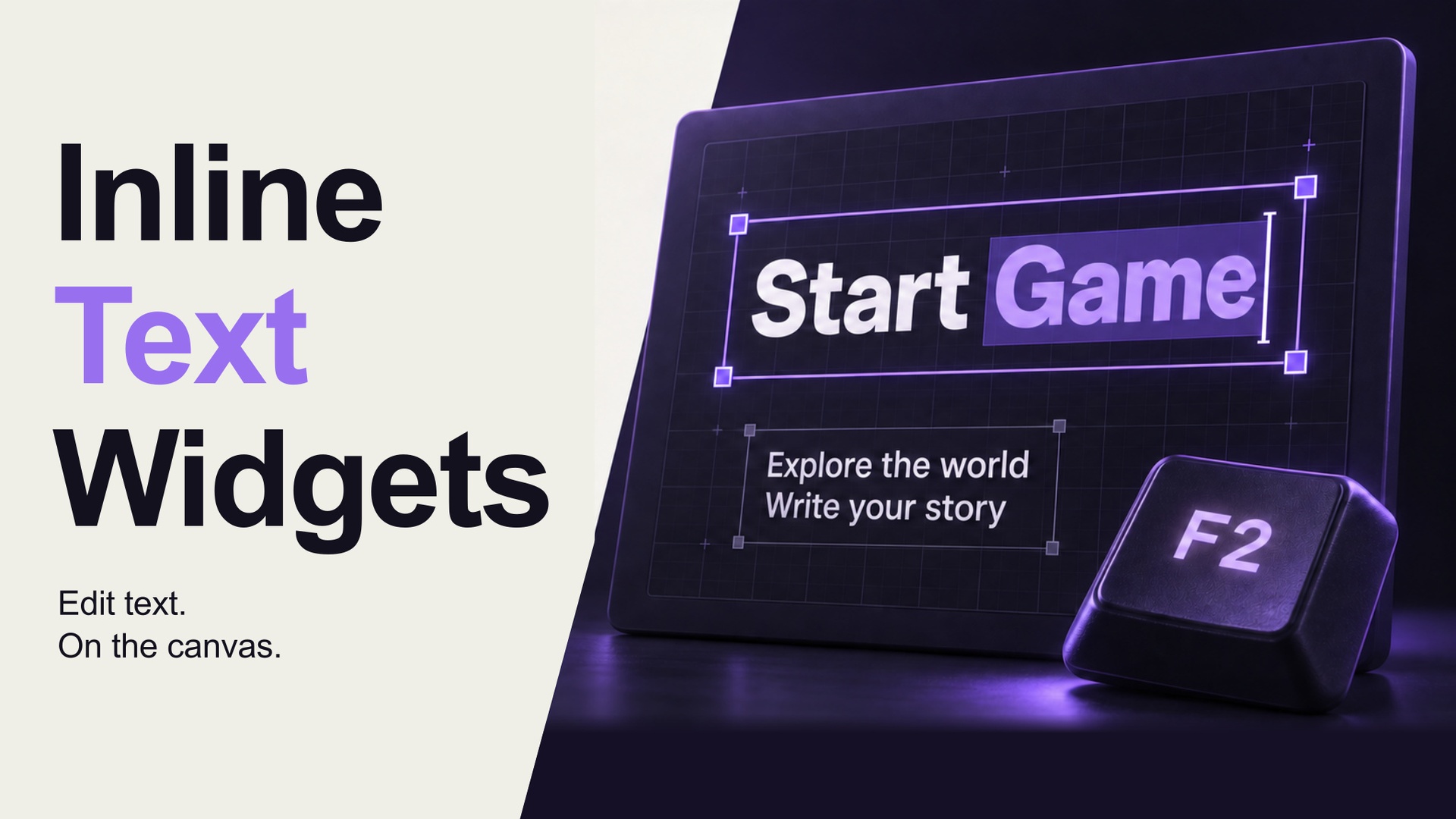
UMG 캔버스에서 텍스트를 바로 고칩니다. 디테일 패널로 이동하는 반복을 줄입니다.Edit text directly on the UMG canvas and reduce repeated trips to the details panel.
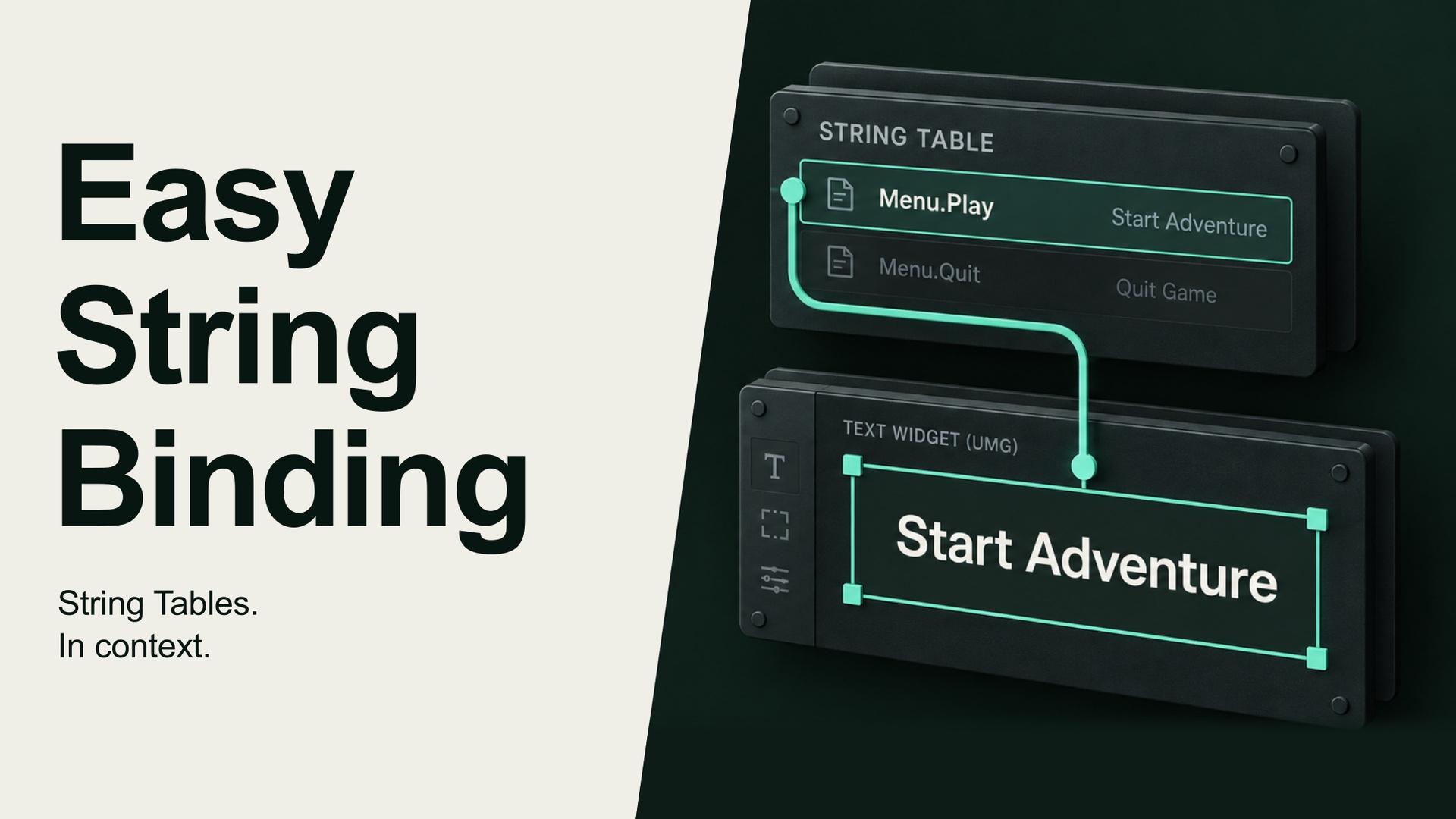
위젯 옆에서 스트링 테이블 키를 선택합니다. 텍스트와 연결할 항목을 같은 자리에서 다룹니다.Choose a String Table key beside the widget, where the text is being edited.
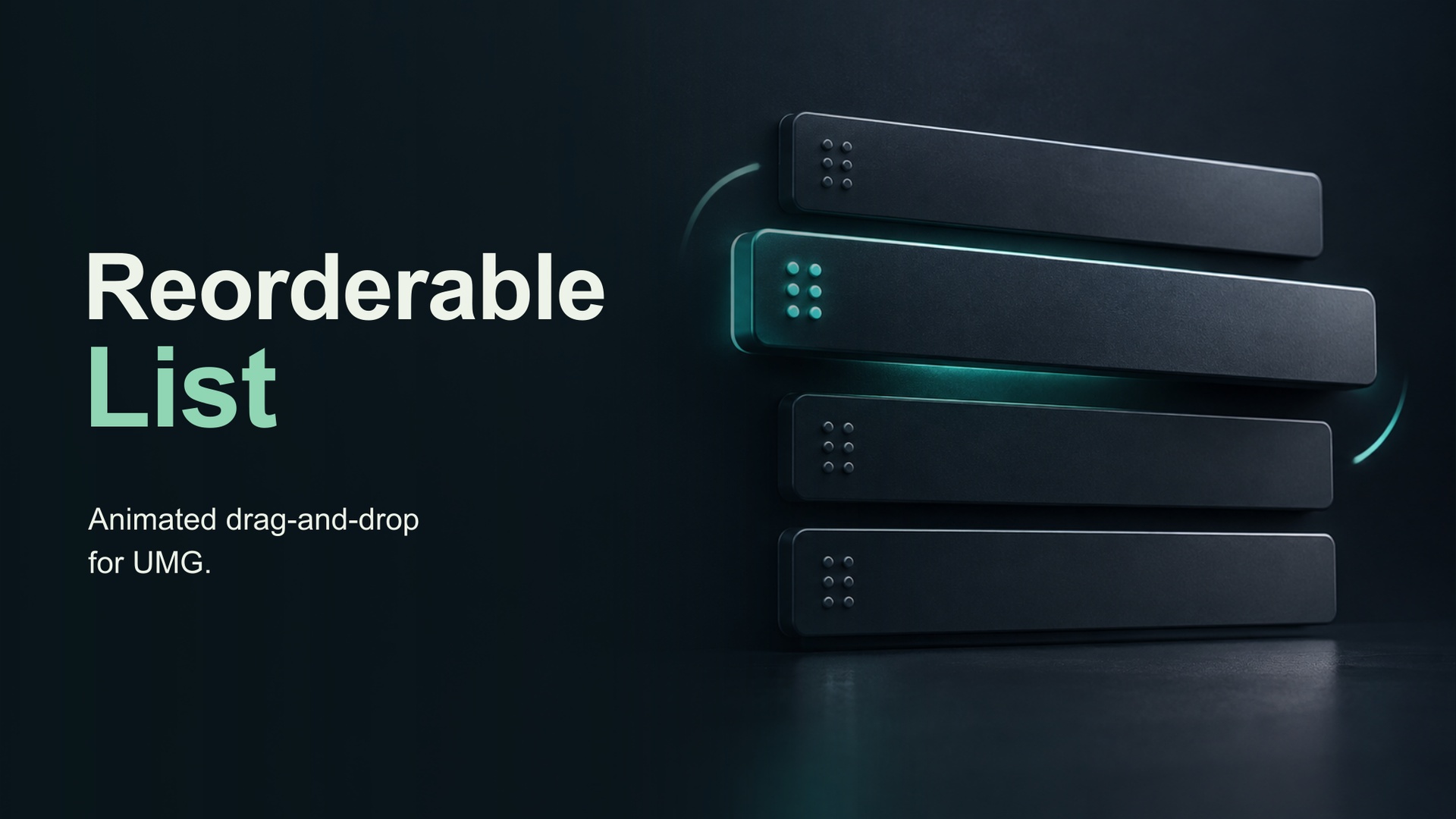
드래그로 목록 순서를 바꿉니다. 에디터 안의 정렬 작업을 손에 익은 조작으로 다룹니다.Reorder a list by dragging items, using a familiar interaction inside the editor.
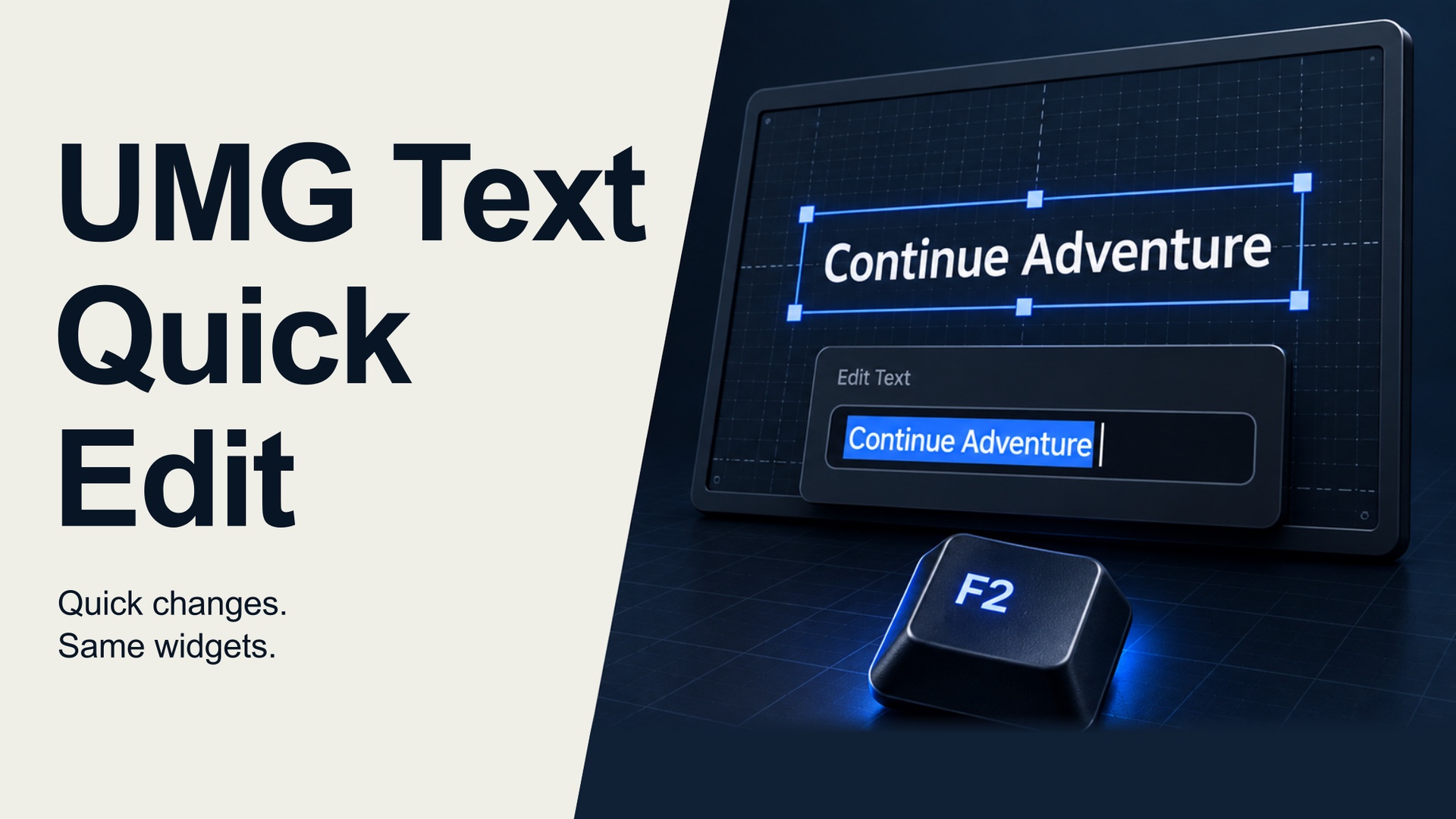
더블클릭이나 F2로 기존 UMG 텍스트를 편집합니다. 지금 쓰는 위젯에서 바로 수정할 수 있도록 구성했습니다.Edit existing UMG text with a double-click or F2, directly in the widget already in use.
HONESTY / WILD
2022년 4월, 수원에서 시작한 실시간 3D 스튜디오입니다. 영상과 스틸, 컨피규레이터, 전시 콘텐츠, 제작 소프트웨어를 만듭니다.Founded in April 2022 in Suwon, we make real-time 3D films, stills, configurators, exhibition content, and production software.
이미지의 완성과 작동의 완성을 함께 생각합니다. 제품의 소재를 보여주는 영상에서도, 사용자의 선택을 반영하는 화면에서도 필요한 장면을 기준으로 접근합니다.We consider both how a scene looks and how it works, from a film showing a material to an interface responding to a product choice.
스튜디오 더 알아보기More about the studio









BEFORE WE START
몰라도 됩니다. 보여주고 싶은 것, 사용자가 할 수 있으면 하는 행동을 알려주세요. 목적에 맞는 장면과 구현 방식을 함께 정리합니다.No. Tell us what you want to show and what users should be able to do. We can work through the scenes and implementation together.
영상은 정해진 카메라와 순서로 내용을 보여줍니다. 실시간 3D는 제품·소재·조명·카메라 같은 요소를 바꾼 결과를 장면에서 확인할 수 있습니다. 욕실 컨피규레이터와 Snaptoon이 그 예입니다.A film follows a defined camera and sequence. Real-time 3D can show changes to products, materials, lighting, or cameras in the scene. The bathroom configurator and Snaptoon are examples.
사용할 장소와 목적, 원하는 시기, 예산 범위, 참고 이미지나 링크를 보내주세요. 제품 데이터나 도면이 있다면 어떤 형식인지도 함께 알려주세요.Send the context and purpose, preferred timing, budget range, and reference images or links. If you have product data or drawings, include their formats.
실행 환경은 작업마다 다릅니다. 영상, PC용 에디터, 전시의 여러 디스플레이는 필요한 조건이 다릅니다. 대상 기기와 설치 환경을 먼저 확인한 뒤 구현 범위를 정리합니다.Runtime requirements differ between film, a PC editor, and a multi-display installation. Target devices and the installation setting need to be checked before defining the build.
장면과 제품의 수, 제공 자료의 상태, 인터랙션 범위, 출력 형식과 실행 환경에 따라 달라집니다. 처음 문의할 때 정해진 조건과 아직 정하지 못한 항목을 같이 알려주세요.The number of scenes and products, the available source assets, interaction scope, output format, and runtime all affect the work. Share both the decisions already made and the open questions.
네. 완성된 기획서 대신 만들고 싶은 장면이나 현재의 문제를 설명해 주세요. 영상으로 풀지, 선택 가능한 화면으로 만들지부터 논의할 수 있습니다.Yes. Describe the scene you have in mind or the problem you are facing. The discussion can start with whether a film or an interactive interface would fit.
어떤 장면이 필요한지, 아직 막막한 부분은 무엇인지 알려주세요. 아래 항목은 아는 만큼만 적어 주셔도 됩니다.Tell us what you want to make and what is still unclear. Include whatever you know from the list below.